
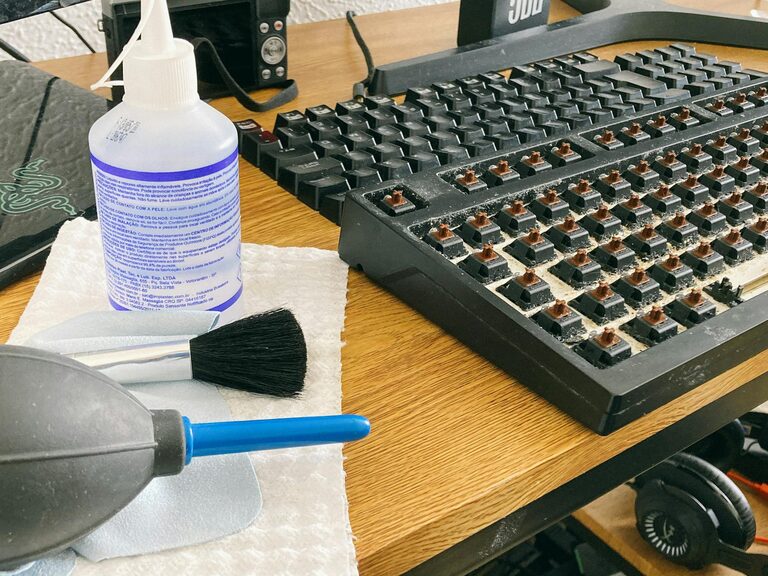
Keeping your phone and keyboard clean is essential—not just for appearance, but for hygiene and device longevity. These everyday gadgets collect dirt, oils, and germs, which can affect their performance and even your health. However, cleaning them improperly can cause damage. This guide will walk you through safe, effective methods to clean your phone and keyboard.
Why Clean Your Phone and Keyboard?
Phones and keyboards are touched constantly throughout the day. This makes them hotspots for bacteria and dust accumulation. Regular cleaning can:
– Prevent the spread of germs
– Improve device functionality
– Prolong the lifespan of your electronics
– Enhance your user experience with a tidy workspace
What You’ll Need
Before you start, gather the following supplies for a safe cleaning process:
– Microfiber cloths (lint-free)
– Isopropyl alcohol (70% or less) or disinfecting wipes safe for electronics
– Cotton swabs or soft-bristled brushes
– Compressed air canister (optional)
– Distilled water (optional)
– Small bowl or spray bottle (optional)
Avoid using harsh chemicals, bleach, or abrasive materials, as they can damage the surfaces and coatings of your devices.
How to Clean Your Phone Safely
Phones are particularly sensitive devices with touchscreen displays and delicate ports. Here’s how to clean yours without causing harm.
Step 1: Power Down and Unplug
Turn off your phone and disconnect all cables and accessories. This reduces the risk of short circuits or accidental inputs during cleaning.
Step 2: Remove Cases and Accessories
If you have a phone case or screen protector, remove them to clean each component thoroughly.
Step 3: Clean the Screen
– Lightly dampen a microfiber cloth with a mixture of 50% distilled water and 50% isopropyl alcohol.
– Gently wipe the screen in circular motions, avoiding excessive moisture near openings.
– Never spray liquids directly onto the screen.
Alternatively, you can use commercial screen-safe wipes designed for electronics.
Step 4: Clean the Phone Body and Case
– Use a slightly damp microfiber cloth or disinfecting wipe to clean the back and sides.
– For tighter areas like buttons or the charging port, use a dry cotton swab or a soft brush gently.
– If the phone case is dirty, wash plastic or silicone cases with warm water and mild soap, then dry completely before reassembling.
Step 5: Dry and Reassemble
– Allow all parts to air dry completely before powering the phone back on or reattaching the case.
How to Clean Your Keyboard Safely
Keyboards collect a lot of dust, dirt, and food particles between keys. Cleaning should be done regularly to maintain performance.
Step 1: Unplug or Turn Off
Disconnect the keyboard from your computer or turn off wireless keyboards before cleaning.
Step 2: Remove Loose Debris
– Turn the keyboard upside down and gently shake it to dislodge debris.
– Use compressed air to blow out particles stuck beneath the keys.
Step 3: Clean the Surface
– Dip a microfiber cloth lightly in a mixture of water and isopropyl alcohol (50/50).
– Wipe the keys and keyboard surface gently. Ensure the cloth isn’t soaking wet.
– Avoid letting any liquid drip between or under the keys.
Step 4: Detail Cleaning
– Use a cotton swab dipped in the alcohol-water solution to clean edges, crevices, and spaces between keys.
– For mechanical keyboards, you may consider carefully removing some keycaps for a deeper clean—refer to your model’s instructions beforehand.
Step 5: Dry and Reconnect
– Let your keyboard dry completely before plugging it back in or turning it on to avoid any moisture-related issues.
Tips for Maintaining Clean Devices
– Wash your hands before using your phone or keyboard.
– Avoid eating over your keyboard or phone screen to minimize buildup.
– Clean your devices regularly, ideally once a week or more if used heavily.
– Store devices in clean, dry places.
– Use screen protectors and keyboard covers as easy-to-clean barriers.
Final Thoughts
Cleaning your phone and keyboard safely is about balancing effective hygiene with gentle care. Using the right materials and methods keeps your devices looking great and working smoothly, while also protecting your health. By following these practical tips, your gadgets will stay in top shape for months to come.